Complex 0-1 Tool for
Non-Engineers
Company
Arine
Role
Senior Product Designer
About the Project
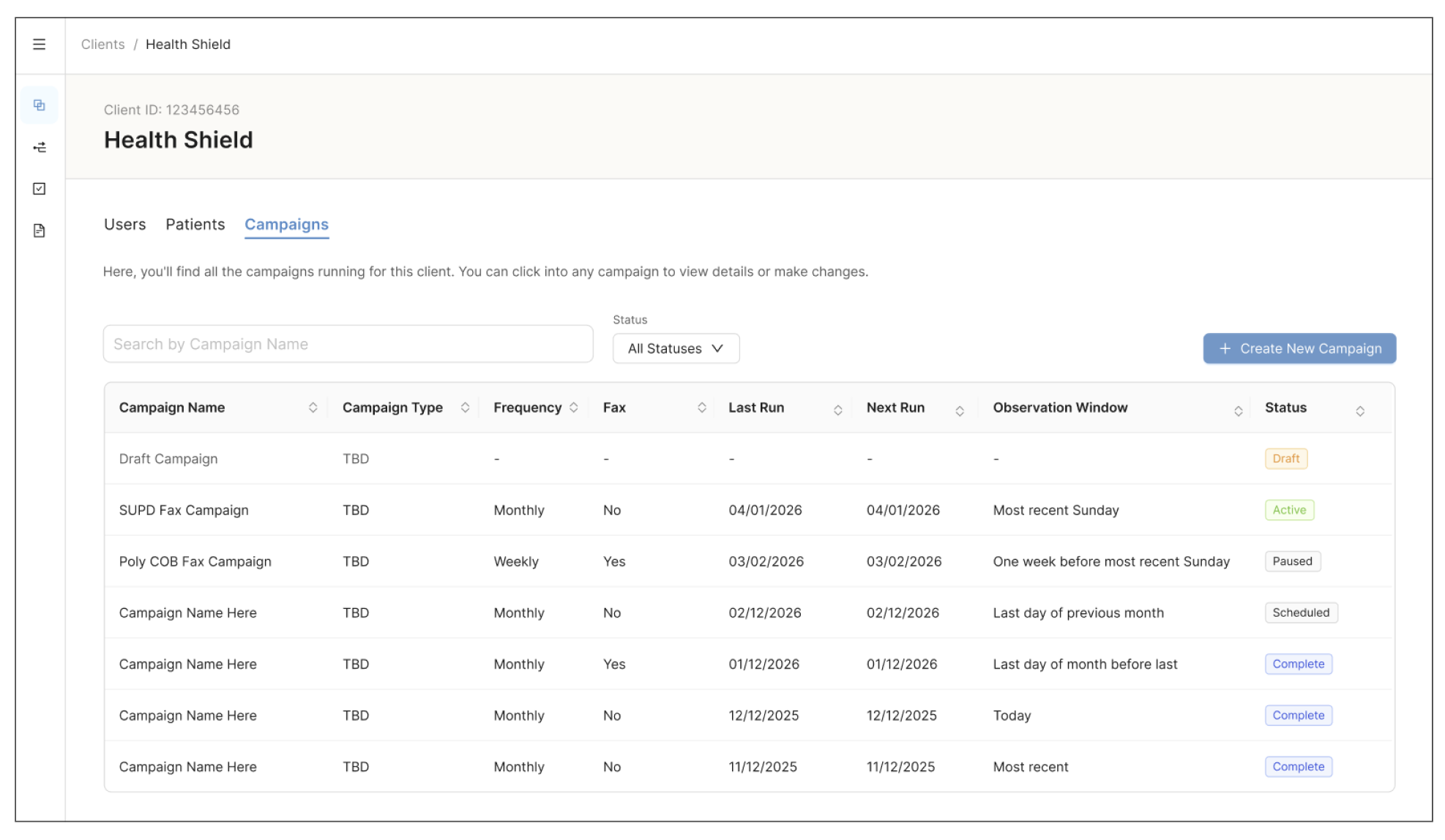
Campaign Manager is a Console tool that lets Client Solution Architects (CSAs) view, build, schedule, validate, and publish client campaigns on their own. Before it existed, every campaign depended on a Jira ticket and an engineer.
My Role
As the Senior Product Designer, I owned the design end to end:
Research and current-state process mapping
Information architecture and user journey definition (with the PM)
AI-assisted rapid prototyping
Three rounds of stakeholder validation and usability testing
High-fidelity design in Figma using Ant Design components
Handoff to a third-party engineering vendor
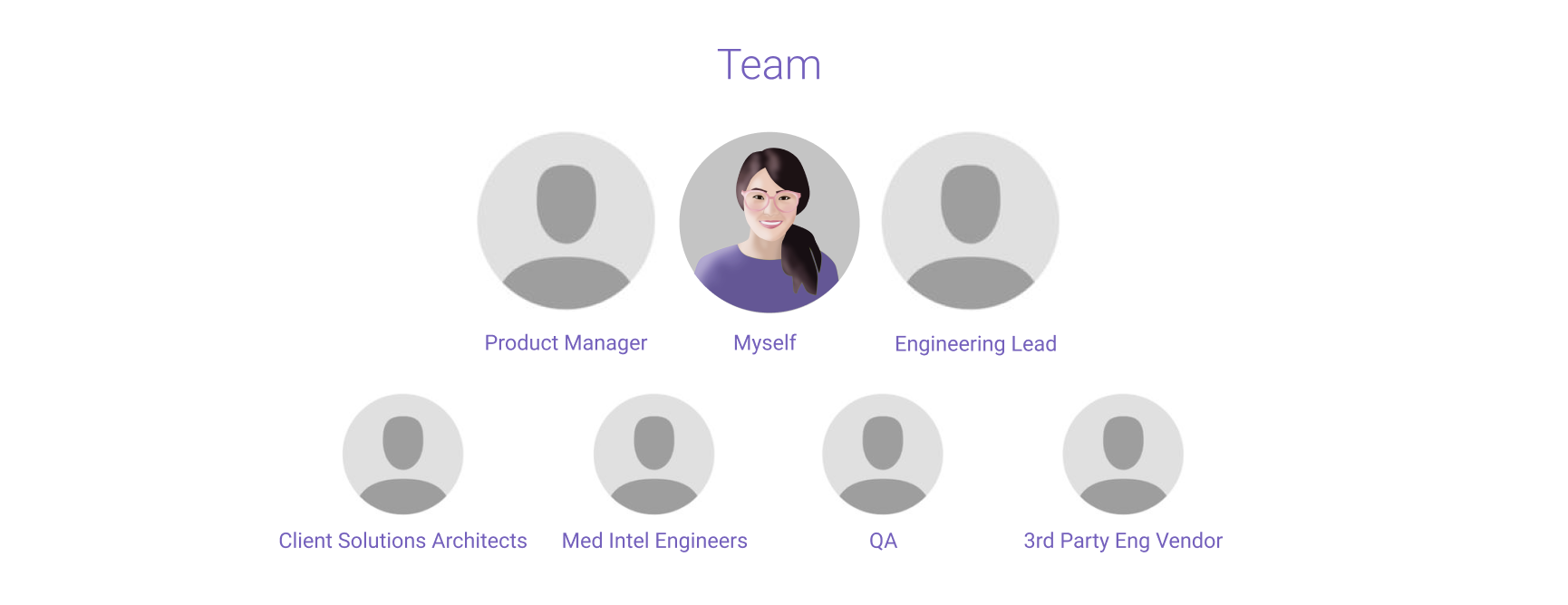
The Team
The Problem
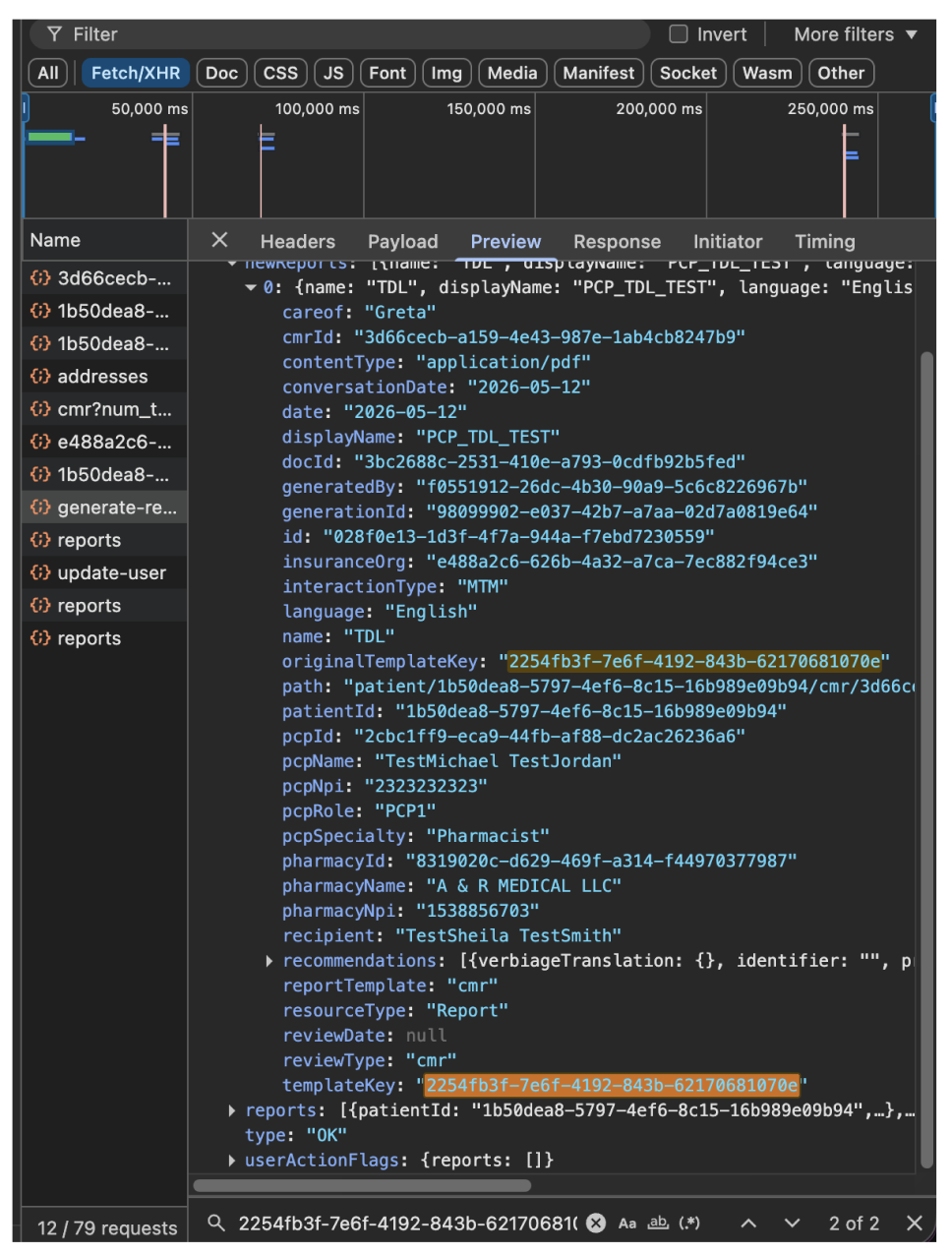
Campaigns were configured through Jira tickets, with engineers scheduling runs and updating client information by hand. In the previous year, 186 campaign tickets were closed, and every one of them required engineering time. Each campaign took about a week to execute, spread across CSAs, engineering and QA, and Data Science.
The goal was to shift this work to CSAs, who could view all of a client’s campaigns in one place, build or edit a campaign, schedule its frequency, and publish it without filing a ticket.
The project came with real constraints:
Engineer-facing language. Fields and labels were written for the people who built them, not the people who would now use them.
No documented end-to-end process. The current workflow existed only in fragments.
10+ campaign pipeline types, each with its own workflow.
A 3-month deadline set by leadership and driven by a third-party contract.
Jira Ticket to Eng created by CSA
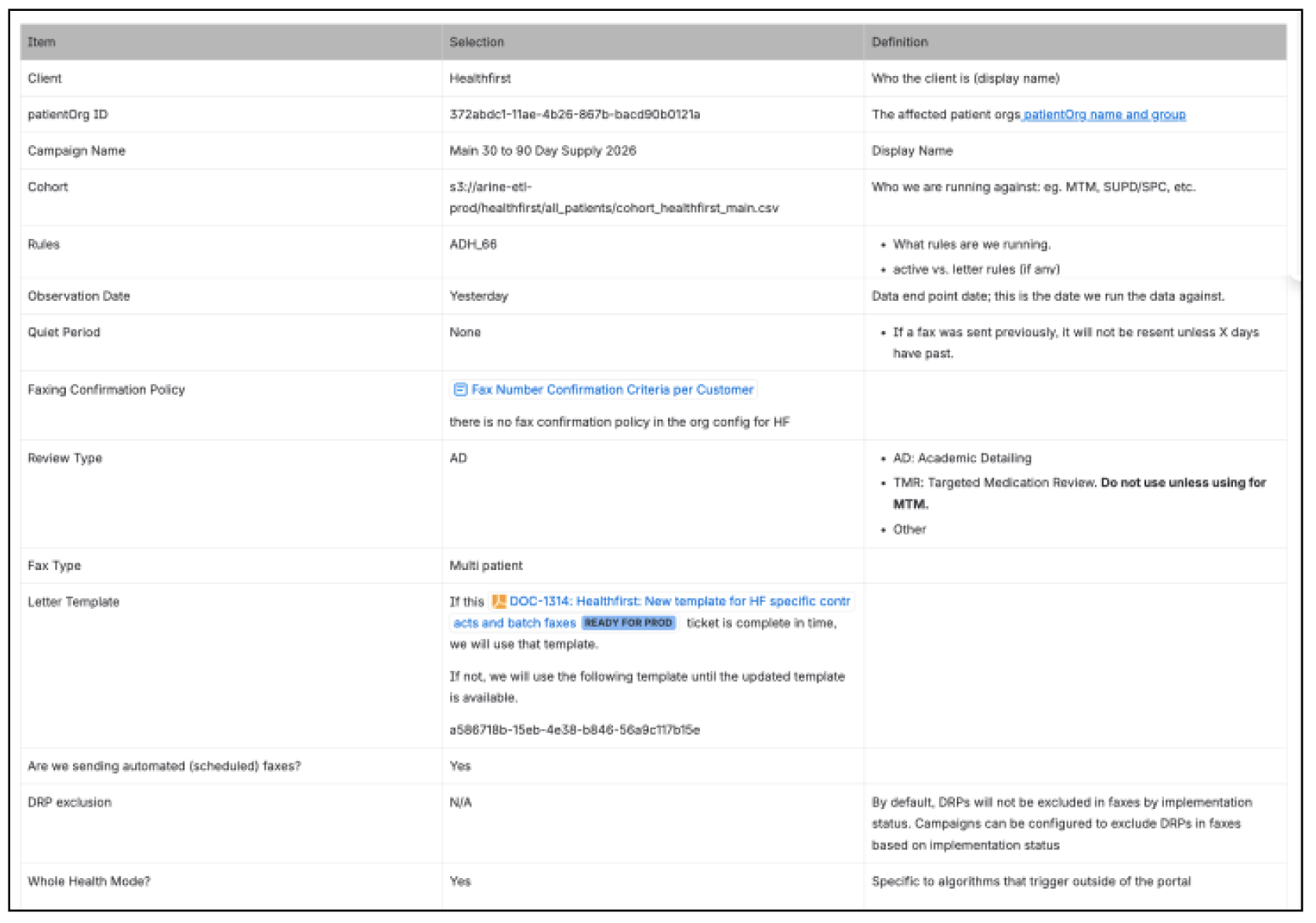
Configuration done via JSON File
Research + Discovery
Before designing anything, I needed to understand how campaigns actually got made today:
What information is gathered and in what order
What decisions are made during configuration
What validations run before and after a run
Where things go wrong or take the most time.
The PM translated her initial requirements into a working HTML prototype using AI. It gave me a clear picture of her thinking, but it also surfaced usability issues, since the fields and categories had been laid out as code rather than as a workflow. I audited the prototype and regrouped fields using patterns from existing Console pages, which gave me a set of open questions to bring to the team.
Prototype created via Claude
Early Requirements
Mining Jira, Google Docs, and Confluence
Designs
Information Architecture
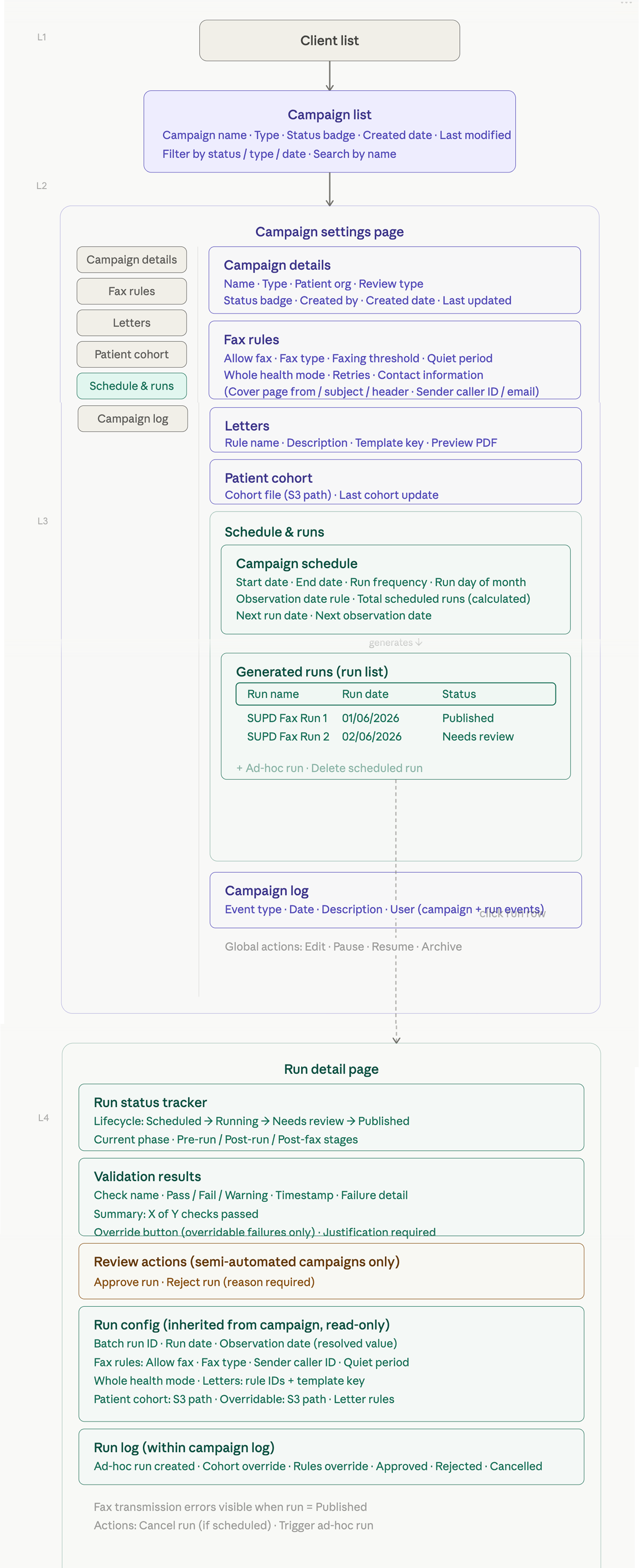
With scope and research in hand, I used Claude to generate an information architecture of every page that needed to be built, then refined it with the PM and the Med Intel Team.
Impact
One month after the v1 release:
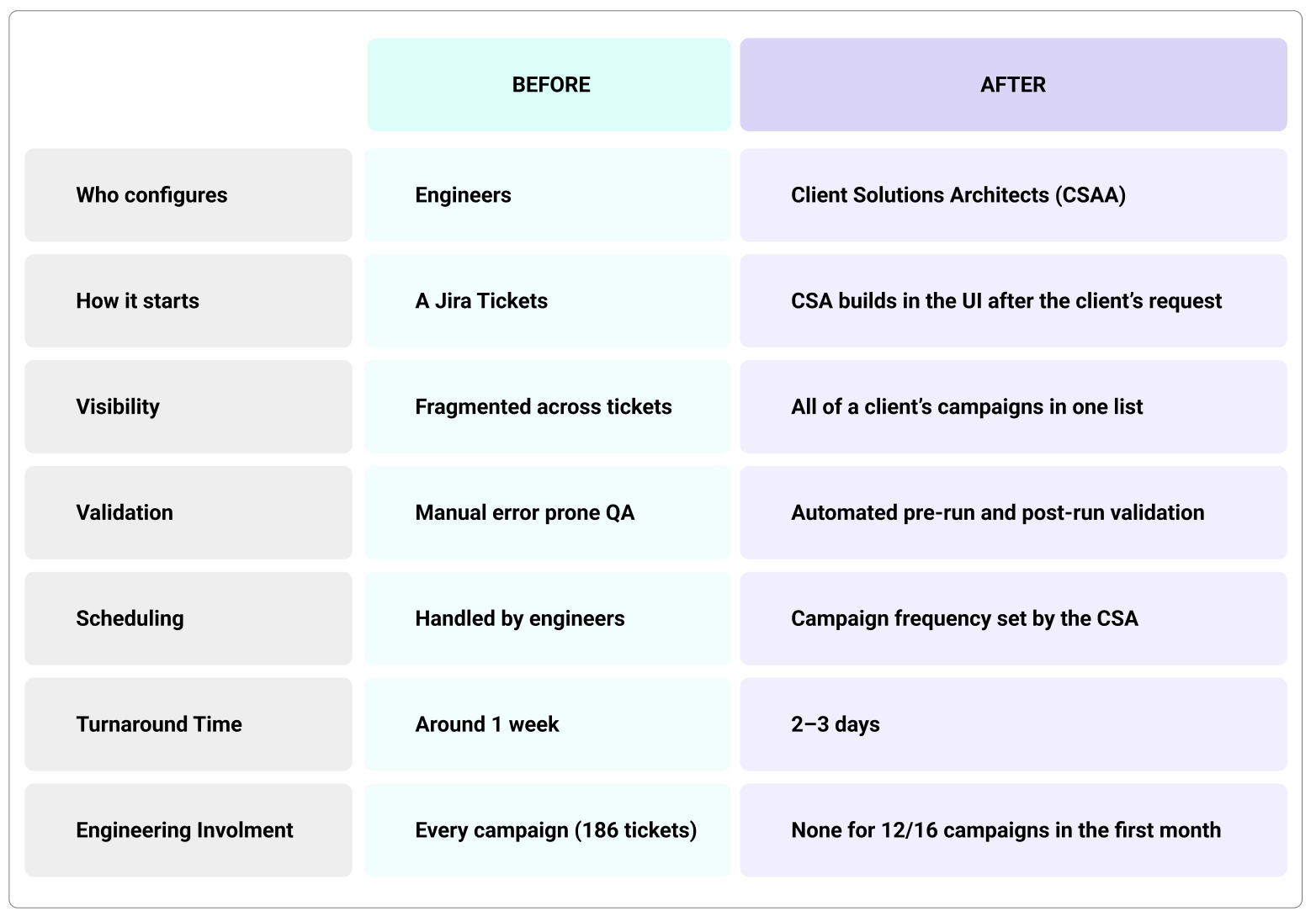
12 of 16 campaigns were published without engineering support
Campaign readiness rose from 0% to 60-70%. Campaigns need fresh patient data to run, and building them in the Console made it possible to schedule runs, which wasn’t possible before.
Turnaround dropped from 1 week to 2-3 days. Engineering dropped out of the process entirely, built-in validation absorbed most of the QA pass, and CSAs can begin configuring as soon as the client makes a request.
Each campaign previously needed about one engineering and QA day, so the 186 tickets represent roughly 186 engineering days a year. Moving this work into the Console frees that time for core product work.
My Learnings
This project required me to design for a complex, logic-heavy workflow I didn’t start out understanding, under a fixed deadline. Understanding the process deeply, in language users could actually use, mattered more than any individual screen.
Key Takeaways
Research artifacts can become product decisions. Mapping the current state aligned four teams and ended up being the document the requirements were written from.
Don’t assume experienced users are experts in your domain. Language is as important as the interface. If a CSA can’t read engineering jargon, no layout fix will help.
Test in pieces before testing end to end. Campaigns were so logic-heavy that we needed to validate the functionality first, before building a clickable end-to-end flow.
Hundreds of Jira tickets and Confluence pages described the campaign process in fragments. I used Claude to analyze ticket types, surface recurring failure modes, and extract every configuration field that appeared across campaigns. I paired this with real examples of each campaign type and its required fields, gathered from Jira, Confluence, and Google Docs.
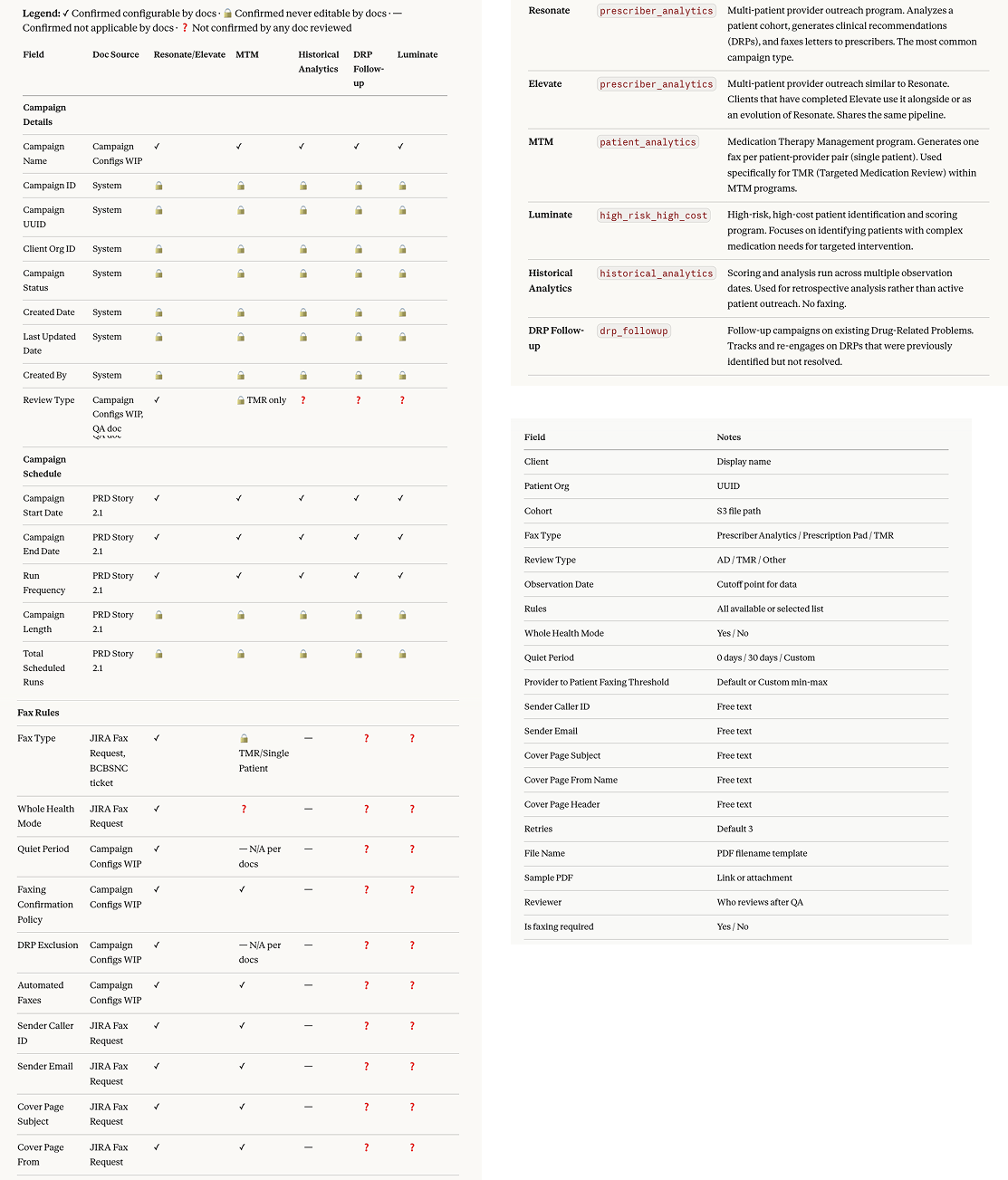
Working Sessions with Med Intel Engineering
The Med Intel engineering team configured campaigns today, so I worked with them directly to understand each pipeline, what every field actually did, and what a CSA would need to know to set it correctly. This is where engineering language became human language. These sessions produced several findings that reshaped the design:
Four campaign types = four workflows. Single-patient, multi-patient prescriber analytics, Luminate scoring, and ad hoc opportunity assessment. “Build a new campaign” was not one flow but several.
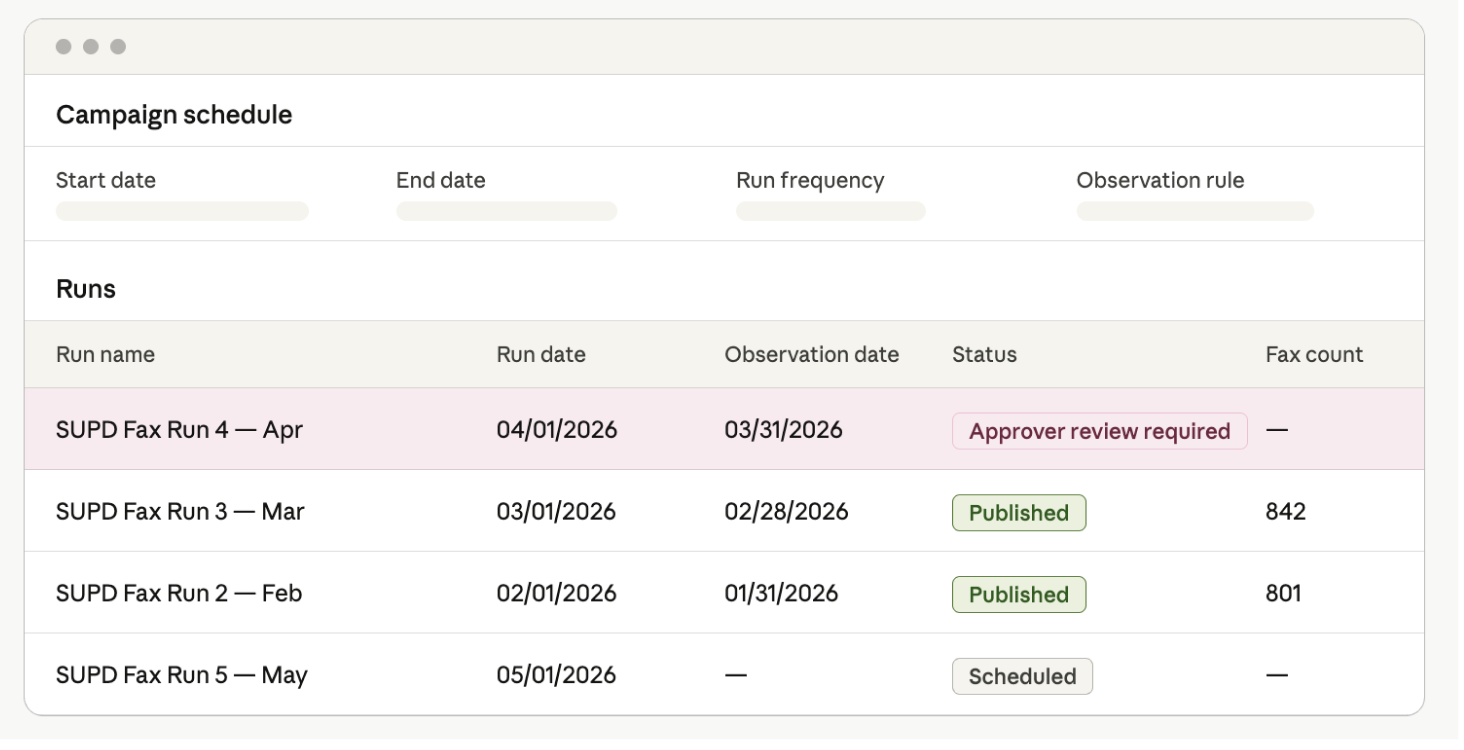
Campaign vs. Run. A campaign is the overall program (dates, frequency, template, rules). A run is a single execution (cohort output, validation results, delivery outcome). The UI needed to separate these two levels clearly.
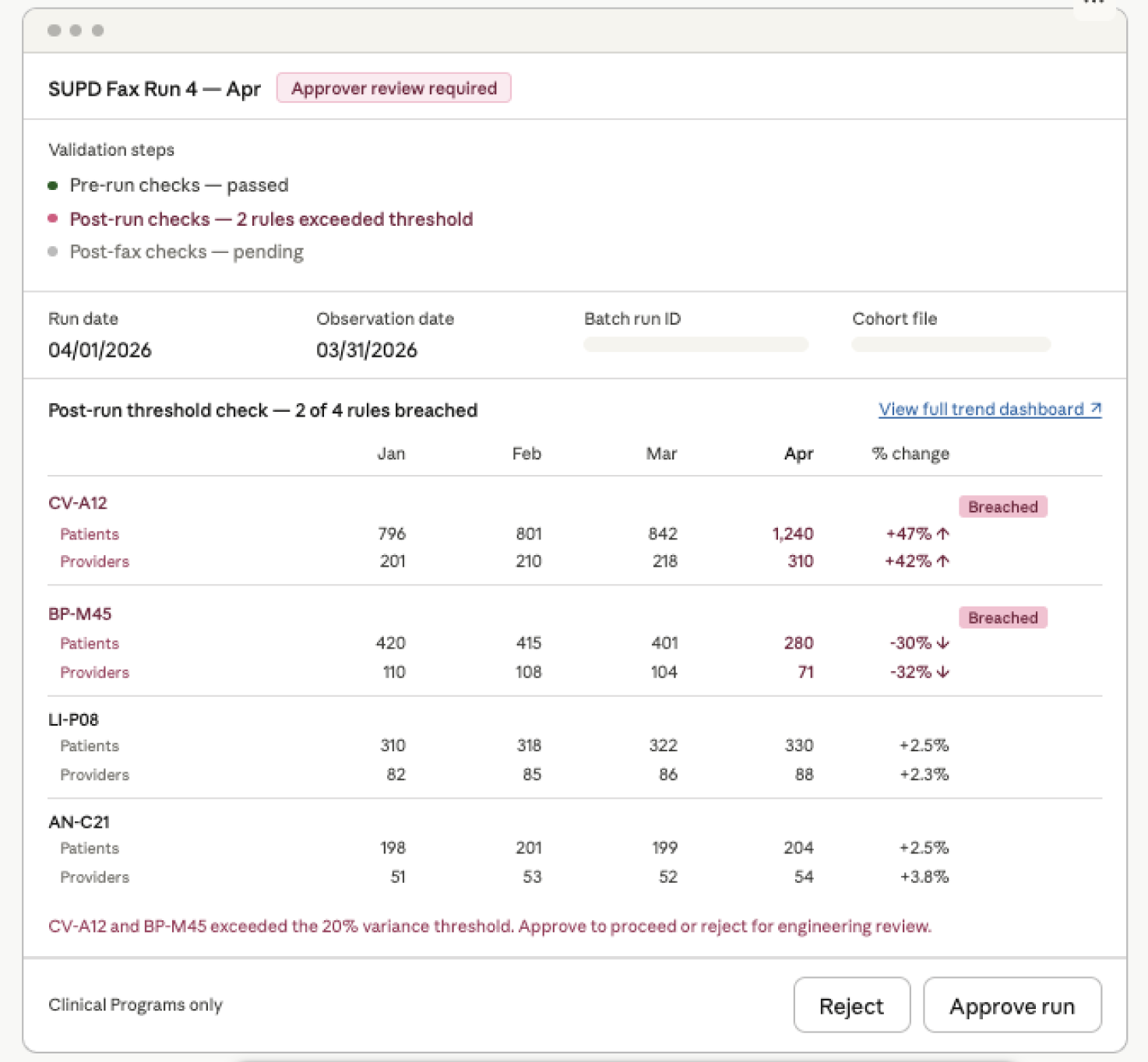
Two phases of validation needed. Pre-run (data is valid) and post-run (error checking, comparison to previous runs).
Terminology mattered. A lot of the labeling was made by engineers and needed updates so CSA users can identify them.
Mapping the current state
In order to get a high level understanding of the flow and identify bottlenecks, I created the first end-to-end map of how a campaign gets created, including every handoff, wait state, and point where work sat in someone’s queue. It became the highest-leverage artifact of the project: for the first time, four teams saw the whole process at once, and the bottlenecks were obvious. There were 5 different teams working without status visibility or tracking and manual eng heavy processes that were prone to P1 incidents.
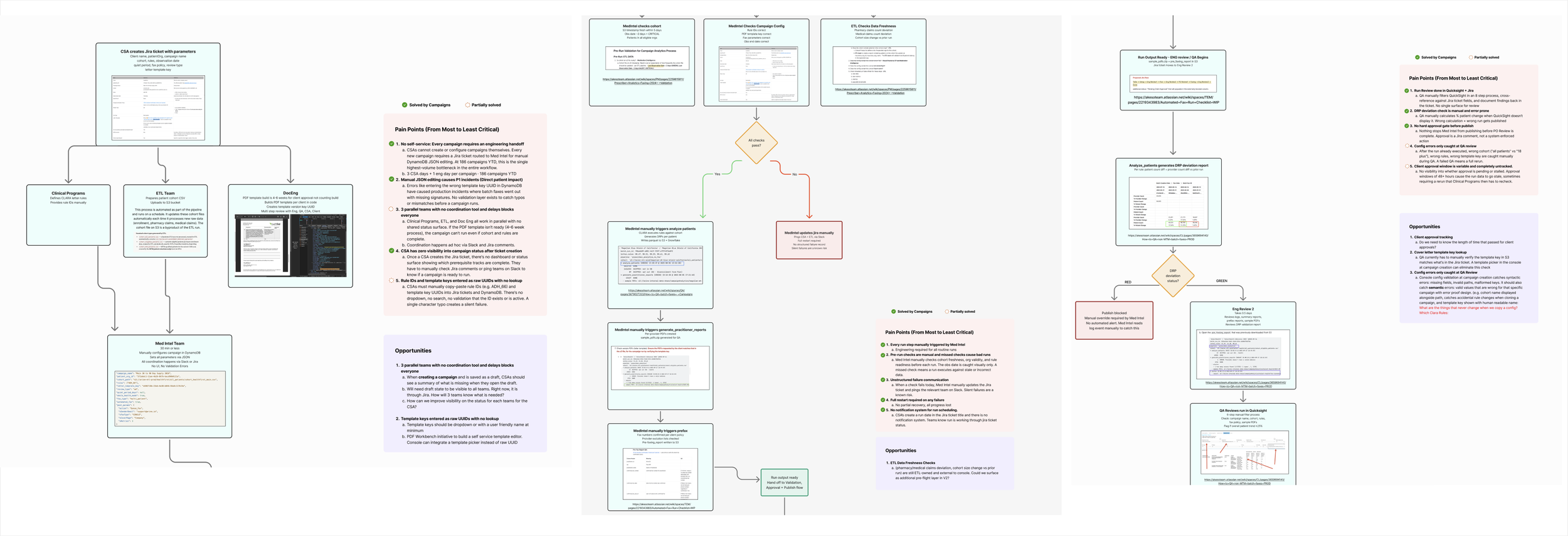
Defining the Scope around CSA Journey
The PM and I used the research to define the end-to-end CSA journey, which became the scope for v1:
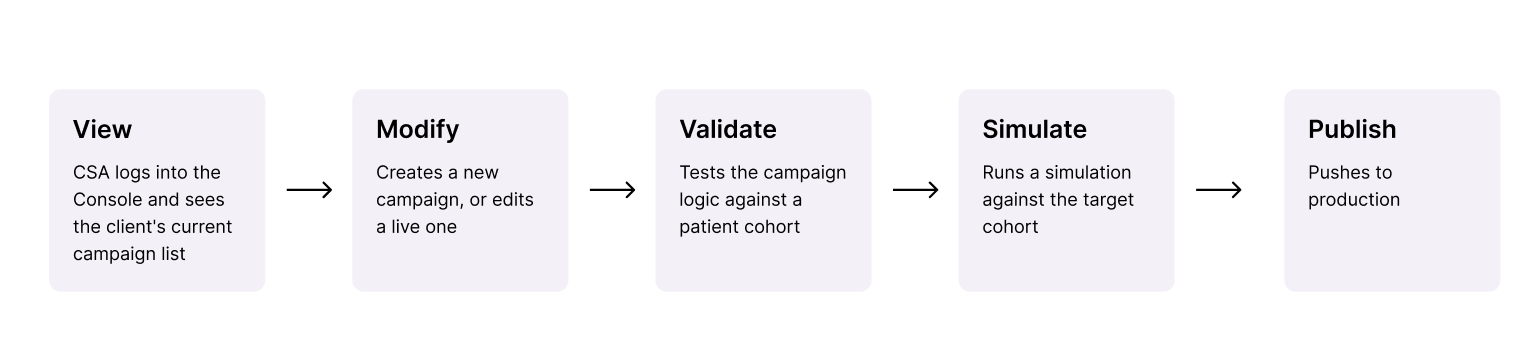
Prioritizing for a 3-Month Deadline
With a fixed deadline tied to a third-party contract, v1 had to cover the full CSA path from viewing a campaign to publishing it, rather than a few polished screens. Three decisions kept the scope achievable:
Start with the one campaign type. The Med Intel team suggested beginning with the multi patient type which was the most common, and building the other types on top of that foundation.
Have fields defaulted instead of build. Submitted data are auto-generated by campaign type, so most fields never needed their own UI. Overrides are the exception.
Design around what the backend can calculate. “Active” and “inactive” campaigns didn’t exist in the backend, so status is derived from dates and run frequency.
Rapid Prototyping with AI
I chose to prototype with Claude generated HTML instead of Figma. The campaign flows were form- and logic-heavy, with conditional fields, dependent dropdowns, and validation states that a static Figma prototype couldn’t test. HTML prototypes let me:
Include every required field so engineers could stress test the logic
Let CSAs type real inputs and hit real errors
Rebuild quickly after each round of feedback
Validation with Engineers + CSAs
Round 1: Med Intel engineering review. Validated the prototype against real campaign logic and caught missing fields and incorrect dependencies.
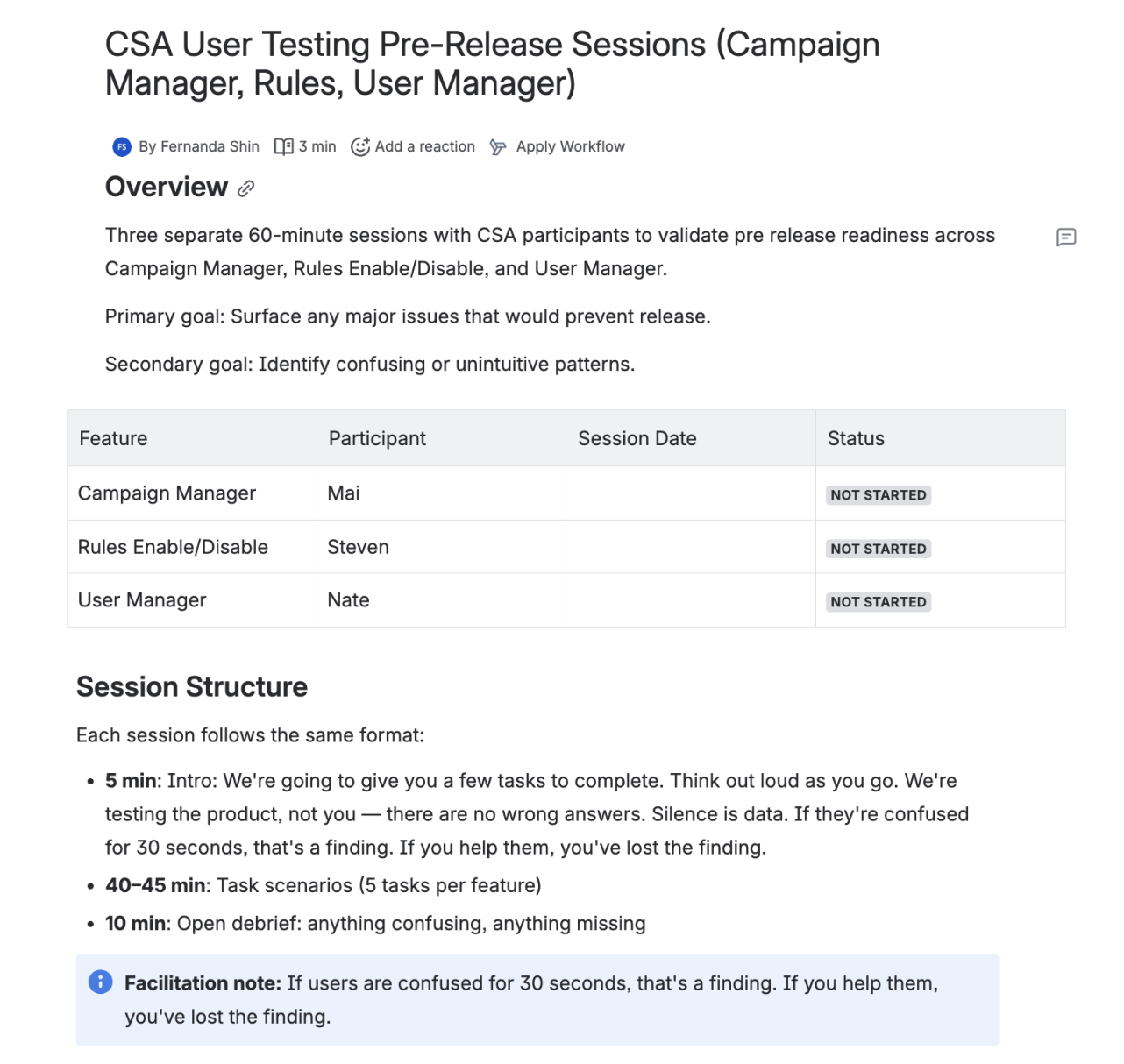
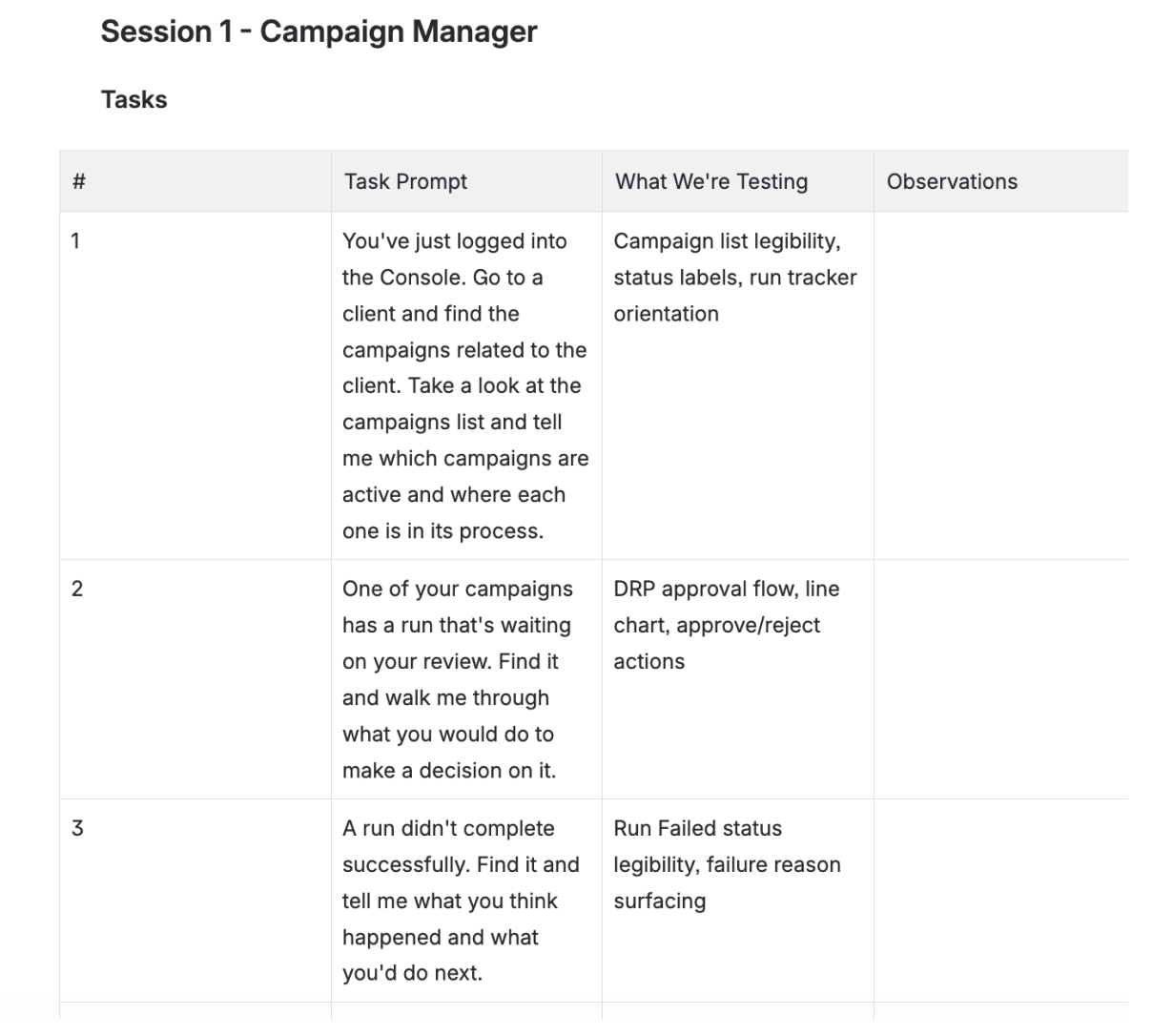
Round 2: CSA usability sessions. CSAs completed Edit, Approve, and Validate tasks directly in the prototype. Key findings:
CSAs filled out fields in a different order than the design assumed
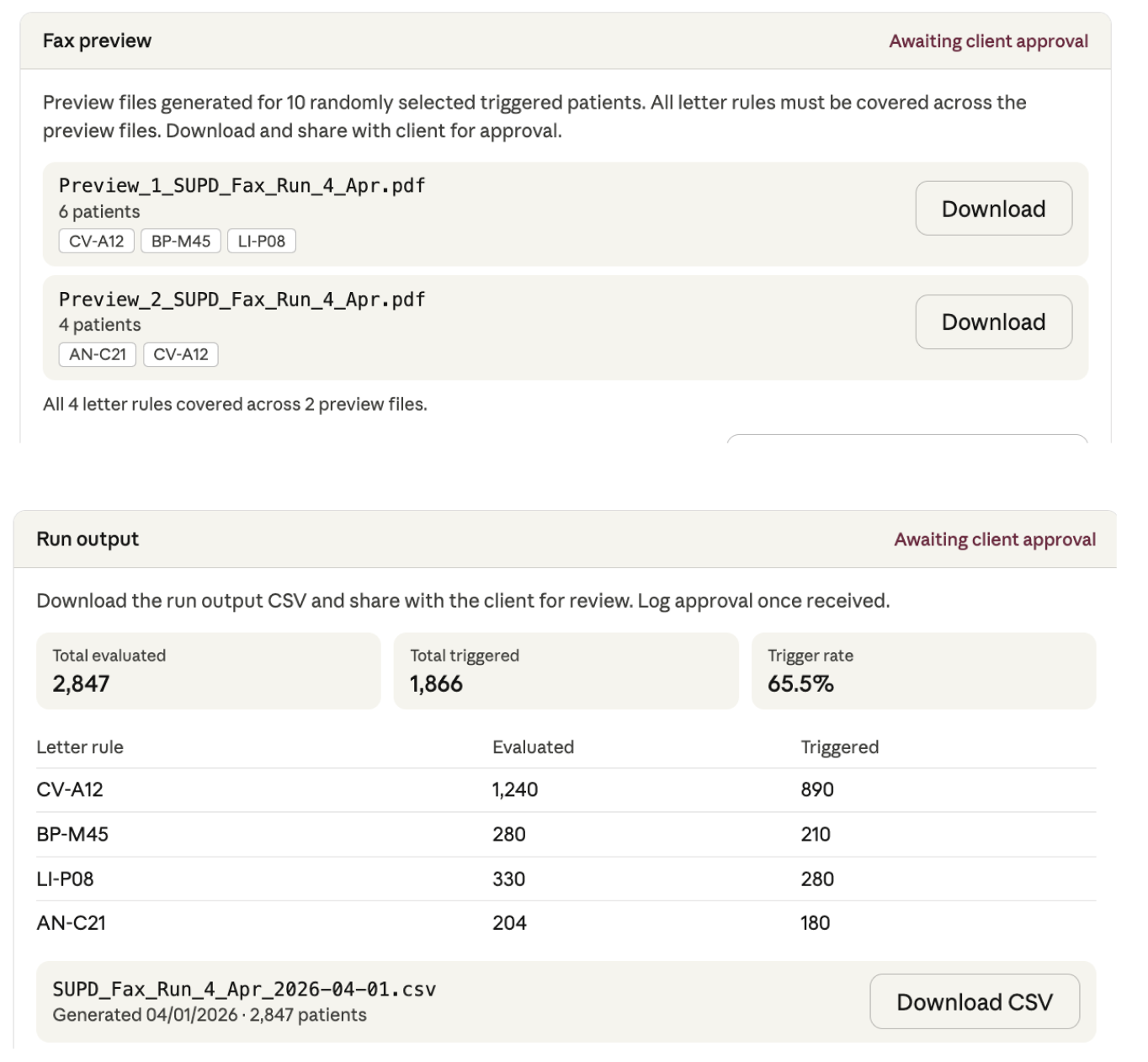
They wanted to see the output before publishing, not just the rule logic
Terminology still didn’t match their mental model
Refinement. I updated the flows based on the sessions and re-validated.
Script created for user testing
Final Design and Handoff
Once the prototypes were validated, I designed the final screens in Figma and Claudes MCP connector to the Ant Design components, and worked closely with a third-party engineering vendor through handoff.
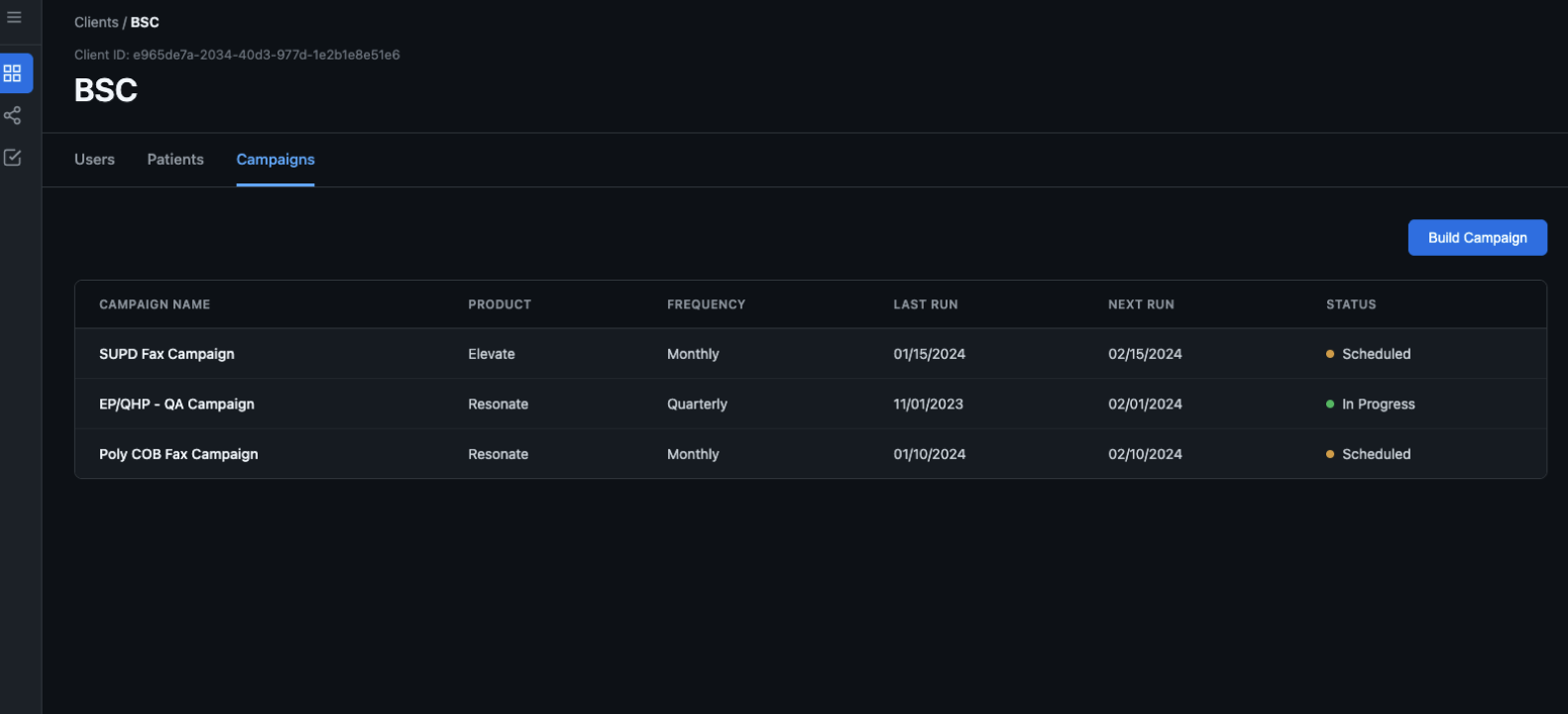
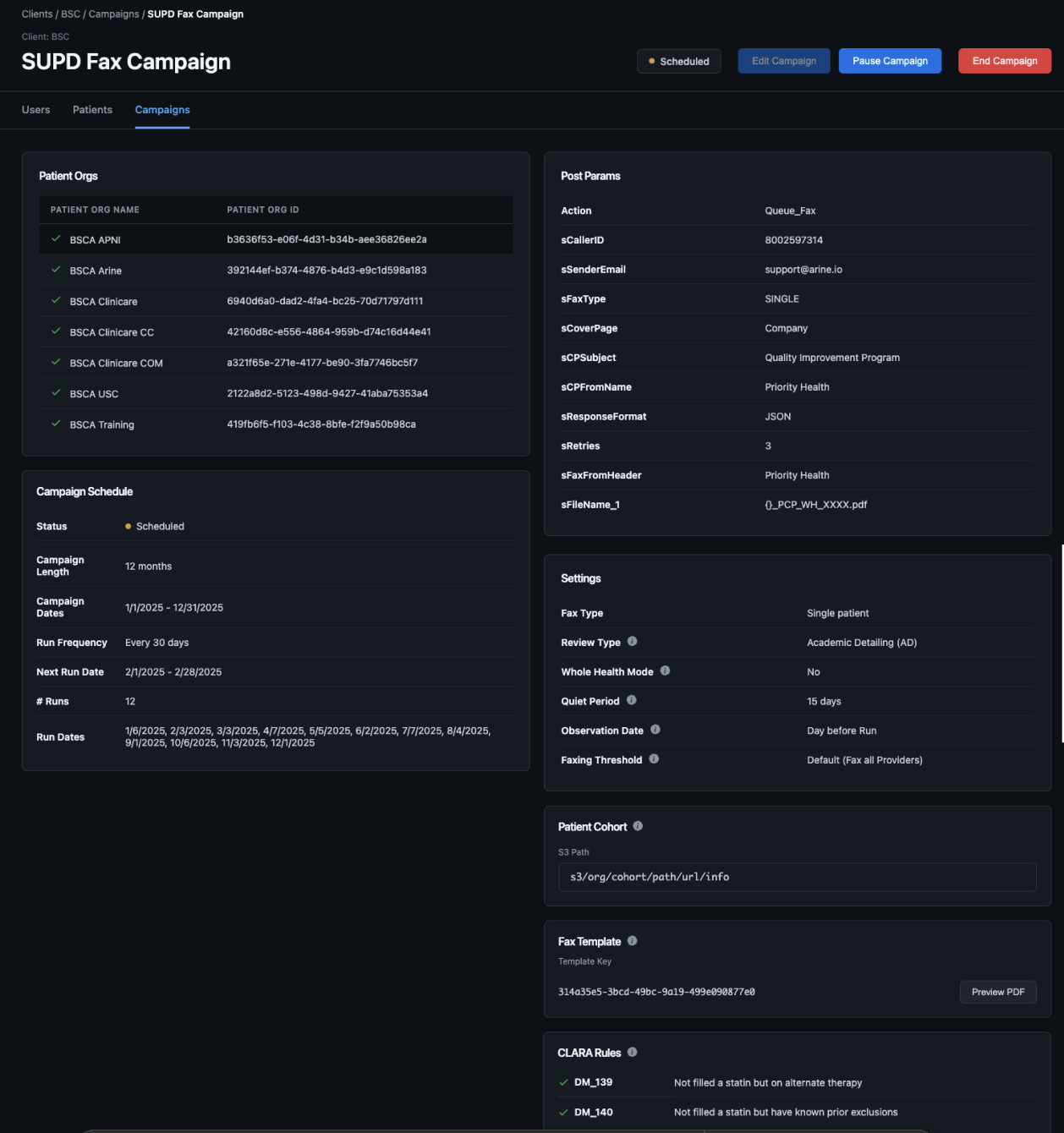
The final experience gives CSAs a single place to manage a client’s campaigns:
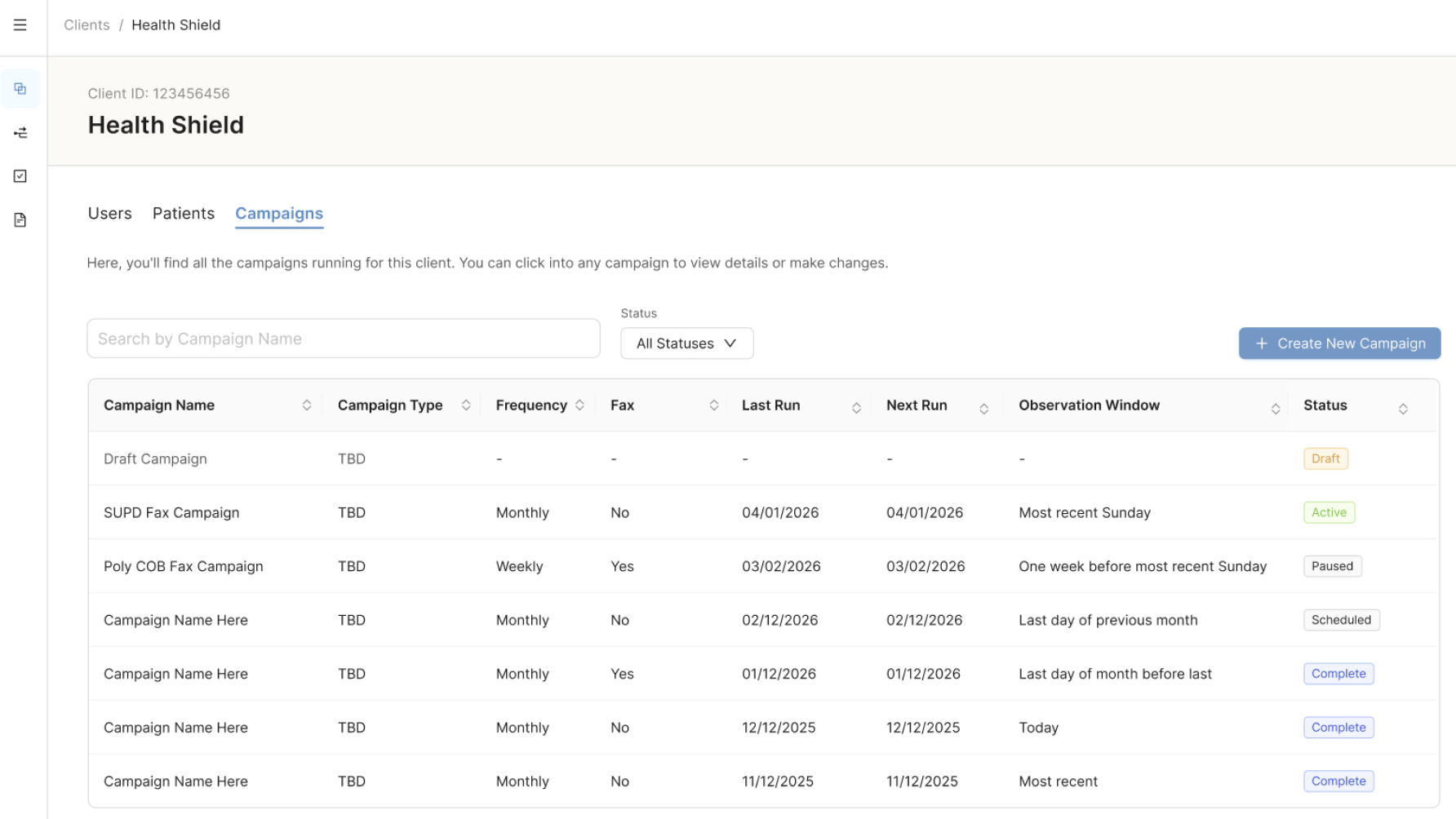
Campaign list showing all of a client’s campaigns, with status based on what the backend can calculate
Campaign and run views that separate the program level cadence from individual run history
Pre-run validation as a checklist before publishing, and post-run validation surfaced in run history and simulation reports
Simulation reports that CSAs can share with clients for approval before the run date
Decisions that helped shaped the design
Prototyping in via Claude html instead of Figma: Conditional fields, dependent dropdowns, and validation states would take longer to product in a Figma prototype, so I used Claude to generate working HTML prototypes of the highest risk interactions. This enabled users to rapidly catch missing fields and incorrect dependencies.
Only promised what backend could support: Identified the status of campaign runs from dates and frequency instead of an active/inactive status. Renaming “Fax template” to “Report template” since not all of them are faxed. Ability to select multiple template keys in a specific order to build a single PDF report.
Ant Design components over custom ones: This kept design and vendor handoff on schedule. The trade off was that form heavy patterns were less tailored than they could have been.